Claude Code vs Droid (Factory AI): Which Terminal Agent in 2026
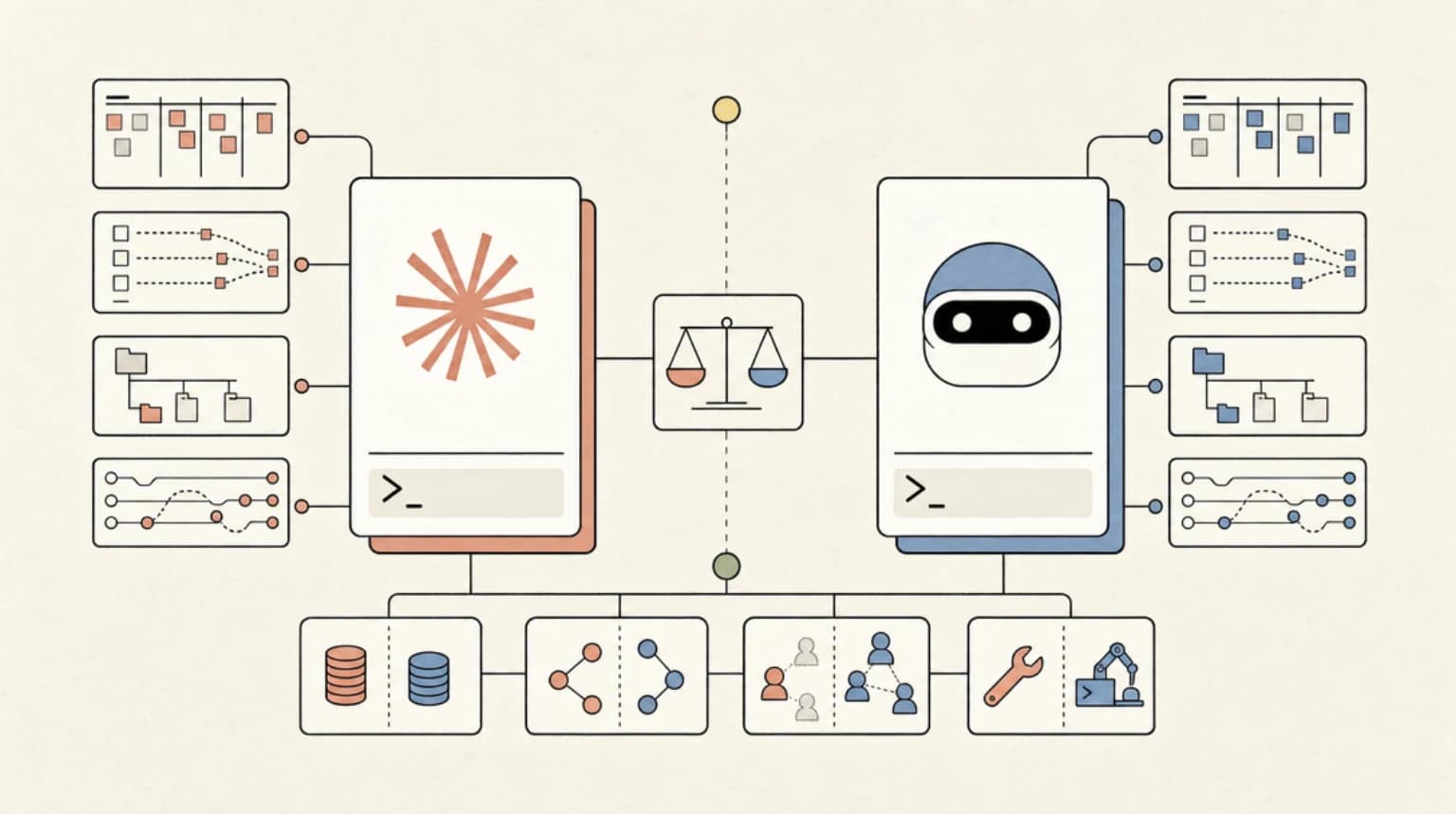
TL;DR
A practical comparison of the two most capable terminal-native AI coding agents in 2026 - covering pricing, model flexibility, multi-agent workflows, and which one fits your team.
Direct answer
Claude Code vs Droid (Factory AI): Which Terminal Agent in 2026
A practical comparison of the two most capable terminal-native AI coding agents in 2026 - covering pricing, model flexibility, multi-agent workflows, and which one fits your team.
Best for
Developers comparing real tool tradeoffs before choosing a stack.
Covers
Verdict, tradeoffs, pricing signals, workflow fit, and related alternatives.
Official Sources
| Tool | Official Source |
|---|---|
| Claude Code | Claude Code Documentation |
| Claude Code Pricing | Claude Pricing |
| Factory AI Droid | Factory AI Documentation |
| Droid Pricing | Factory AI Pricing |
| Droid Model Multipliers | Factory AI Models |
| Droid Missions | Factory AI Missions |
The terminal AI agent market has shaken out in a way nobody quite predicted. Two tools have pulled ahead for developers who live in the command line and want genuine agentic capability: Claude Code from Anthropic and Droid from Factory AI. Both install in seconds, both understand your entire codebase, and both can autonomously edit files, run tests, and chain together multi-step changes. The question is not which one works - both work well - the question is which one fits how you actually build software.
This post is a direct comparison based on what each product documents and ships as of mid-2026. The gap between them has narrowed considerably over the past year. The meaningful differences now live in model flexibility, workflow depth, and pricing architecture rather than raw agentic capability.
Last updated: June 19, 2026
Installation and First Impressions
Both tools follow the same install pattern: a one-liner that puts a CLI binary on your path, then you cd into a project and start talking to it.
Claude Code installs via curl -fsSL https://claude.ai/install.sh | bash on macOS and Linux, with Homebrew, WinGet, and Linux package manager options available. Native installs auto-update in the background. The Homebrew claude-code cask tracks a stable channel about a week behind, which deliberately skips releases with regressions - a meaningful distinction for teams that value stability. Windows is fully supported.
Droid installs the same way: curl -fsSL https://app.factory.ai/cli | sh. Running droid in a project opens a full-screen TUI - a standalone workspace rather than a shell augmentation. The experience is more visually structured: you see conversation, diff views, and mission control in a single interface. Linux users need xdg-utils for full functionality.
Both require browser-based login on first use and both support VS Code and JetBrains integrations. Factory adds Zed to that list. Claude Code adds a dedicated desktop app for Mac and Windows, a web interface at claude.ai/code that supports long-running async tasks and parallel sessions, a Chrome extension for debugging live web apps, and Slack integration that turns @Claude mentions into pull requests.
Model Flexibility - the Biggest Structural Difference
This is where the two products diverge most sharply, and it has real consequences for cost planning.
Claude Code runs on Claude models exclusively. You can deploy it through Anthropic directly, or through Amazon Bedrock, Google Vertex AI, Claude Platform on AWS, or Microsoft Foundry. Prompt caching is enabled by default across all deployment paths. The flexibility is in where the inference runs and how it is billed - the model you get is always a Claude model.
Droid is model-agnostic. The /model slash command lets you switch providers mid-session. Factory manages a multi-provider roster with usage "multipliers" that scale against your included plan credits:
- Claude Opus 4.8 at 2x, Claude Sonnet 4.6 at 1.2x, Claude Haiku 4.5 at 0.4x
- GPT-5.4 at 1x, GPT-5.5 at 2x, GPT-5.5 Pro at 12x
- Gemini 3.1 Pro at 0.8x, Gemini 3.5 Flash at 0.6x
- Droid Core open models: Kimi K2.6 at 0.4x, DeepSeek V4 Pro at 0.7x, MiniMax M2.5 at 0.12x
The Bring Your Own Key (BYOK) layer extends this further. You configure custom model endpoints in ~/.factory/settings.json, pointing Droid at your own Anthropic or OpenAI keys, OpenRouter, Fireworks, Groq, Ollama, or any OpenAI-compatible inference provider. Environment variable expansion handles API key management without hardcoding secrets.
If your workflow benefits from routing tasks to different models by cost or capability - cheap open models for boilerplate, flagship models for architecture decisions - Droid gives you native tooling for that today. Claude Code is more opinionated: you get Claude, you pick where it runs.
Newsletter
Get the weekly deep dive
Tutorials on Claude Code, AI agents, and dev tools, delivered free every week.
From the archive
Why Claude Desktop Quietly Installs a 1.8 GB VM on Windows (And What You Can Do About It)
Jun 10, 2026 • 8 min read
Handling Fable 5 Refusals: A Working Guide to the Fallback API
Jun 10, 2026 • 10 min read
Fable 5 Leaves Your Claude Plan on June 22. Here's How to Plan for It
Jun 10, 2026 • 6 min read
Claude Fable 5 Pricing: Real Cost Per Task vs Opus 4.8, GPT-5.5 and Codex
Jun 10, 2026 • 8 min read
Project Context - CLAUDE.md vs AGENTS.md
Both tools use a markdown file at the repo root to give the agent persistent knowledge about your project. Claude Code uses CLAUDE.md; Droid uses AGENTS.md. The concept is identical: drop in your conventions, build commands, architectural constraints, and anything else the agent should carry between sessions.
The configuration systems diverge above that base layer. Claude Code merges project-level, directory-level, and user-level CLAUDE.md files. It supports CLAUDE.md files in subdirectories for monorepo setups, and auto memory where the agent builds its own notes across sessions without you writing anything.
Droid layers on top of AGENTS.md with a more structured extension surface: Skills (reusable procedures the agent invokes on demand), Hooks (lifecycle automation for pre/post-edit workflows and policy enforcement), Plugins (packageable bundles of commands and skills for team distribution), and Custom Droids (specialized subagents with their own system prompts, tool access, and model assignments). Claude Code has hooks and MCP server support for external tool connections. The intent is the same; Factory just surfaces more configuration knobs.
Workflow Depth - Missions vs Standard Sessions
The most differentiated feature in Droid is Factory Missions. Missions are structured multi-agent workflows for large projects. The flow:
- Run
/missionsin any Droid session - Droid interviews you - it asks clarifying questions, pushes back on vague scope, and builds a shared understanding before writing a line of code
- A structured plan is produced: features organized into milestones, each tied to the skills needed to execute it
- Execution moves into Mission Control - an orchestration view that tracks which features are in flight, which agents are working, and lets you intervene mid-run
Validation workers run at each milestone boundary, verifying the work before the next phase starts. Missions can also run headless via droid exec --mission -f mission.md for CI and scheduled jobs. The docs note honestly that Missions are a research preview - parallelization vs. sequential execution, cost vs. quality tradeoffs, and long-horizon error accumulation are still being actively tuned.
Claude Code's multi-agent capability works differently. The Agent SDK lets you build custom orchestrated workflows in code. The Desktop app and web interface support background agents - multiple sessions running in parallel that you monitor from one screen. Routines run on Anthropic-managed infrastructure on a schedule, so they keep running when your laptop is closed. The composition is more developer-defined rather than wizard-guided, which trades some friction for more control.
Droid also ships Droid Control - a plugin that gives Droid actual computer use: launch terminal apps, drive web interfaces, click buttons, run QA flows, and record demo videos of PRs. The /demo, /verify, and /qa-test slash commands handle planning, recording, and rendering end-to-end, including polished video output via Remotion. The /verify command takes a behavior claim, investigates it as a neutral observer, and returns CONFIRMED, REFUTED, or INCONCLUSIVE with evidence. Claude Code does not have a built-in browser or desktop automation layer.
Head-to-Head Comparison
| Feature | Claude Code | Factory AI Droid |
|---|---|---|
| Model choice | Claude only | Claude, GPT, Gemini, open-weight, BYOK |
| Install | curl, Homebrew, WinGet, apt/dnf/apk | curl, npm |
| TUI style | Inline REPL / shell augmentation | Full-screen TUI workspace |
| IDE support | VS Code, JetBrains, Cursor | VS Code, JetBrains, Zed |
| Desktop app | Yes (Mac, Windows) | Factory App (Mac, Windows) |
| Web interface | claude.ai/code (async, parallel sessions) | Factory App web |
| CI/CD | GitHub Actions, GitLab CI | droid exec headless, GitHub Actions |
| Codebase context | CLAUDE.md (multi-level) | AGENTS.md + Skills + Custom Droids |
| Multi-agent | Background agents, Agent SDK, Routines | Factory Missions (guided planning + orchestration) |
| Browser/desktop automation | No built-in | Droid Control plugin (/demo, /verify, /qa-test) |
| MCP support | Yes | Yes |
| Slack integration | Yes | Yes |
| Pricing base | Pro $20/mo, Max $200/mo | Pro $20/mo, Plus $100/mo, Max $200/mo |
| Model billing | Subscription or API credits | Rolling rate limits + multipliers + Extra Usage credits |
| BYOK | Via cloud provider (Bedrock, Vertex, etc.) | Direct key config in settings.json |
| Enterprise | SSO, RBAC, ZDR, VPC deployment | SSO, SAML/SCIM, ZDR, custom inference pool |
Pricing in Practice
Surface-level, both tools start at $20/month for individuals. The underlying mechanics differ.
Claude Code at $20/month (Pro) or $200/month (Max) gives you a subscription that covers usage. Pro is rate-limited; Max has significantly higher limits and is what heavy users actually run on day to day. Enterprise pricing for teams goes through Anthropic sales at $150/seat for premium plans, with pay-as-you-go options via the Console. All cloud provider deployments (Bedrock, Vertex, Foundry) are pay-as-you-go billed through that provider.
Droid uses rolling rate limits across 5-hour, weekly, and monthly windows. Your plan's Standard Usage is consumed first, with model multipliers determining how fast it depletes. After you exhaust Standard Usage, Droid Core open-weight models (Kimi, DeepSeek, MiniMax) have a separate free rate limit pool that lets you keep working. Extra Usage is prepaid credits ($10 minimum, never expire) that kick in after both Standard and Droid Core limits are exhausted. Missions require Extra Usage to be enabled.
The practical difference: Claude Code pricing is predictable and flat-rate. Droid pricing is more granular but also more flexible - you can stretch a $100/month Plus plan by routing to Droid Core models for most work and only pulling in premium models for complex tasks.
Who Should Use Which
Choose Claude Code if:
- You want a single opinionated tool from the model vendor with tight reliability guarantees
- Your team is already in Anthropic's ecosystem (Max subscriptions, Console credits)
- You need cloud-provider deployment (Bedrock, Vertex, Foundry) for compliance or billing reasons
- You value the desktop app, web sessions, and Routines infrastructure for async and scheduled work
- Simplicity over configuration surface area matters
Choose Droid if:
- You want to route tasks to different models based on cost and capability
- You are doing large projects where Missions-style structured planning and orchestration would help
- You need Droid Control for QA automation, PR demo videos, or behavior verification
- Your team wants to share Skills and Plugins across projects
- You are already on a multi-model workflow and want one CLI that talks to all of them
If you are a solo developer doing greenfield work and want minimal setup: Claude Code is the faster path. If you are on a team running multi-day agentic projects across multiple repos with mixed model preferences: Droid's configuration depth pays off.
Both tools are genuinely good. The choice is workflow fit, not capability ceiling.
FAQ
Is Claude Code or Droid better for solo developers?
Both work well at the individual level. Claude Code is easier to get started with - one subscription, one model, predictable billing. Droid's Pro plan is the same price but requires understanding the multiplier system and rate limit windows before it feels natural. For straightforward individual use, Claude Code has less friction. Droid becomes worth the learning curve once you are regularly doing large, multi-step projects where Missions or model routing saves real time.
Can Droid use Claude models?
Yes. Droid supports Claude Opus 4.8, Claude Opus 4.7, Claude Opus 4.6, Claude Sonnet 4.6, Claude Opus 4.5, Claude Sonnet 4.5, and Claude Haiku 4.5 as managed models. You can also bring your own Anthropic API key via BYOK and point Droid at the official Anthropic API directly. The difference is that with your own key, model access and billing go through your Anthropic account, and the models appear in a separate "Custom models" section of the model picker.
Does Claude Code support multi-model routing?
Not natively. Claude Code connects to Claude models through Anthropic or through cloud providers (Bedrock, Vertex, Foundry, Microsoft Foundry). You can configure an LLM gateway via the ANTHROPIC_BASE_URL environment variable to route through a proxy that handles model selection, but that is a custom infrastructure layer rather than a first-class CLI feature. If per-task model routing is a core requirement, Droid's built-in /model switcher and BYOK system are more direct.
How does Factory Missions pricing work?
Missions draw from the same rolling rate limits as regular Droid sessions, with model multipliers applying as normal. The additional requirement is that Extra Usage must be enabled - Missions pause if they hit a rate limit mid-run, and Extra Usage credits allow them to continue. Factory recommends running Missions on Droid Core models where possible to stretch your Standard Usage further. The orchestrator, worker, and validator agents can each be configured to use different models, which lets you pair a strong orchestrator with cheaper workers for cost efficiency.
Sources
- Factory AI documentation - https://docs.factory.ai/welcome
- Factory pricing - https://docs.factory.ai/pricing
- Factory available models - https://docs.factory.ai/models
- Factory Missions docs - https://docs.factory.ai/cli/features/missions
- Factory Droid CLI quickstart - https://docs.factory.ai/cli/getting-started/quickstart
- Factory Droid Control - https://docs.factory.ai/cli/features/droid-control
- Factory BYOK overview - https://docs.factory.ai/cli/byok/overview
- Claude Code overview - https://code.claude.com/docs
- Claude Code quickstart - https://code.claude.com/docs/en/quickstart
- Claude Code third-party integrations - https://code.claude.com/docs/en/third-party-integrations
Read next
AI Coding Tools Pricing Comparison 2026
Complete pricing breakdown for every major AI coding tool. Claude Code, Cursor, Copilot, Windsurf, Codex, Augment, and more. Free tiers, pro plans, hidden costs, and what you actually get for your money.
12 min readFactory AI and the Model Routing Era: How Coding Agents Are Learning to Spend Your Tokens Wisely
Factory AI's Droid agent surfaces a new competitive front in coding tools: cost-per-completed-task. Here's what their architecture reveals about where the whole industry is heading.
8 min readThe TypeScript AI Agent Stack in Mid-2026: Mastra vs Vercel AI SDK vs OpenAI Agents SDK vs LangGraph.js
Four mature, production-ready TypeScript frameworks have made building agents genuinely enjoyable. Here is how to pick the right one - and how they fit together.
10 min readShare
Suggest an editSave
Developers Digest
Technical content at the intersection of AI and development. Building with AI agents, Claude Code, and modern dev tools - then showing you exactly how it works.
300+ videos30K+ GitHub stars50+ articles
Related Tools
ProductivityNew
A
AgentCanvas
A hosted infinite canvas your headless AI agents drive over MCP. Any MCP-speaking agent - Claude Code, Codex, Cursor, or...
View ToolAI CodingDaily Driver
Claude Code
Anthropic's agentic coding CLI. Runs in your terminal, edits files autonomously, spawns sub-agents, and maintains memory...
View ToolAI CodingOpen source
OpenCode
Open-source AI coding agent for terminal, desktop, and IDE. Works with 75+ LLM providers including Claude, GPT, Gemini,...
View ToolAI Coding

Conductor
Mac app for running parallel Claude Code, Codex, and Cursor agents in isolated workspaces. Watch every agent work at onc...
View ToolApps from Developers Digest
Developer Tools
Agent Hub
Every coding agent in one window. Stop alt-tabbing between Claude, Codex, and Cursor.
View AppDeveloper ToolsIn Progress
Skill Builder
Turn a one-liner into a working Claude Code skill. From idea to installed in a minute.
View AppDeveloper ToolsIn Progress
Subagent Studio
Design subagents visually instead of editing YAML by hand.
View AppRelated Guides
Guide
Subagent Tool Restrictions - Claude Code
Limit which tools a subagent can access.
Claude CodeGuide
Terminal CLI - Claude Code
The primary command-line entry point for Claude Code sessions.
Claude CodeGuide
AGENTS.md - Claude Code
Define custom subagent types within your project's memory layer.
Claude CodeRelated Videos
Zed: The Open Source Agentic IDE - Use Claude Code, Codex & Gemini CLI in one place
Check out Zed here! https://zed.dev In this video, we dive into Zed, a robust open source code editor that has recently introduced the Agent Client Protocol. This new open standard allows...
Video·
Claude Code NEW Sub Agents in 7 Minutes
Leveraging Anthropic's Subagent for Claude Code: A Step-by-Step Guide In this video, we explore Anthropic's newly released subagent feature for Cloud Code, which allows developers to create...
Video·

Claude Code Just Killed After Effects
Create motion graphics and launch videos using natural language — no traditional video editor required. 🔗 Try Higgsfield Katana in Claude:** https://higgsfield.ai/s/katana-inside-claude-yt-developer...
Video·
Related Posts
12 min read
AI Coding
AI Coding Tools Pricing Comparison 2026
Complete pricing breakdown for every major AI coding tool. Claude Code, Cursor, Copilot, Windsurf, Codex, Augment, and m...
8 min read
factory-ai
Factory AI and the Model Routing Era: How Coding Agents Are Learning to Spend Your Tokens Wisely
Factory AI's Droid agent surfaces a new competitive front in coding tools: cost-per-completed-task. Here's what their ar...
10 min read
typescript
The TypeScript AI Agent Stack in Mid-2026: Mastra vs Vercel AI SDK vs OpenAI Agents SDK vs LangGraph.js
Four mature, production-ready TypeScript frameworks have made building agents genuinely enjoyable. Here is how to pick t...

6 min read
claude-code
Nimbalyst: A Visual Workspace That Unifies Codex and Claude Code
A companion guide to the Nimbalyst video: an open-source visual workspace that runs Codex and Claude Code from your exis...
8 min read
ai-coding-tools
Kimi CLI vs Claude Code: The Budget Question in 2026
Moonshot AI's Kimi CLI offers unlimited coding sessions at zero marginal cost. Claude Code offers polish, deep Anthropic...

8 min read
ai-coding-tools
How to Measure AI Coding Tool ROI in 2026
Vendor claims of 10x productivity are not verified by real data. Here is the framework enterprises use to measure actual...
Build with the member tools
Get Smarter About AI Dev
New tutorials, open-source projects, and deep dives on coding agents - delivered weekly.
One email per weekReal code, not theoryFree forever