Self-Improving Skills: Claude Code That Learns From Every Session
Prefer video? Watch the full tutorial with code walkthroughs.
Watch VideoClaude Code Mastery
20 parts- 1Claude Code: The Future of Coding?
- 2What Is Claude Code? The Complete Guide for 2026
- 360 Claude Code Tips and Tricks for Power Users
- 4Claude Code Sub Agents: Parallel AI Development
- 5Claude Code Worktrees: Parallel Development Without the Chaos
- 6Building Multi-Agent Workflows in Claude Code: A Practical Tutorial
- 7The Ralph Loop: Running Claude Code For Hours Autonomously
- 8Self-Improving Skills: Claude Code That Learns From Every SessionCurrent
- 9Claude Code Usage Limits in 2026: The Practical Playbook for Pro and Max Teams
- 10Progressive Disclosure: How Claude Code Cut Token Usage by 98%
- 11Claude Code + Chrome: AI Agents That Use Your Browser
- 12Interview Mode: Let Claude Code Ask the Questions First
- 13Claude Code: Remote Control, Auto Memory, Plugins & More
- 14Claude Code Hooks Explained
- 15How to Use Claude Code with Next.js
- 16Claude Code Channels: Telegram, Discord, iMessage, and Webhooks
- 17How to Migrate from GitHub Copilot to Claude Code
- 18Building a SaaS with Claude Code: End-to-End Guide
- 19Create Beautiful UI with Claude Code: The Style Guide Method
- 20Claude Code Loops: Recurring Prompts That Actually Run
TL;DR
Claude Code skills can now reflect on sessions, extract corrections, and update themselves with confidence levels. Your agent gets smarter every time you use it.
The Problem Every Developer Hits
You correct Claude on something - maybe a button selector, a naming convention, or a validation check. The fix works. Session ends. Next day, same mistake.
For the next layer of context, read Claude Code Agent Teams, Subagents, and MCP: The 2026 Playbook and Why Skills Beat Prompts for Coding Agents in 2026; they show how reusable agent knowledge turns one-off wins into repeatable workflow.
It happens again. And again.
LLMs don't learn from you. Every conversation starts from zero. That's not a feature. It's friction.
This affects every coding harness, every model. Without memory, your preferences aren't persisted. You're repeating yourself forever.
Official Sources
| Resource | Link |
|---|---|
| Claude Code overview | Anthropic Claude Code |
| Claude Code documentation | Claude Code docs |
| Skills API reference | Claude Code skills |
| Memory and context docs | Claude Code memory |
| Hooks reference | Claude Code hooks |
The Solution: Self-Improving Skills
Claude Code now supports something different: skills that analyze sessions, extract corrections, and update themselves with confidence levels.
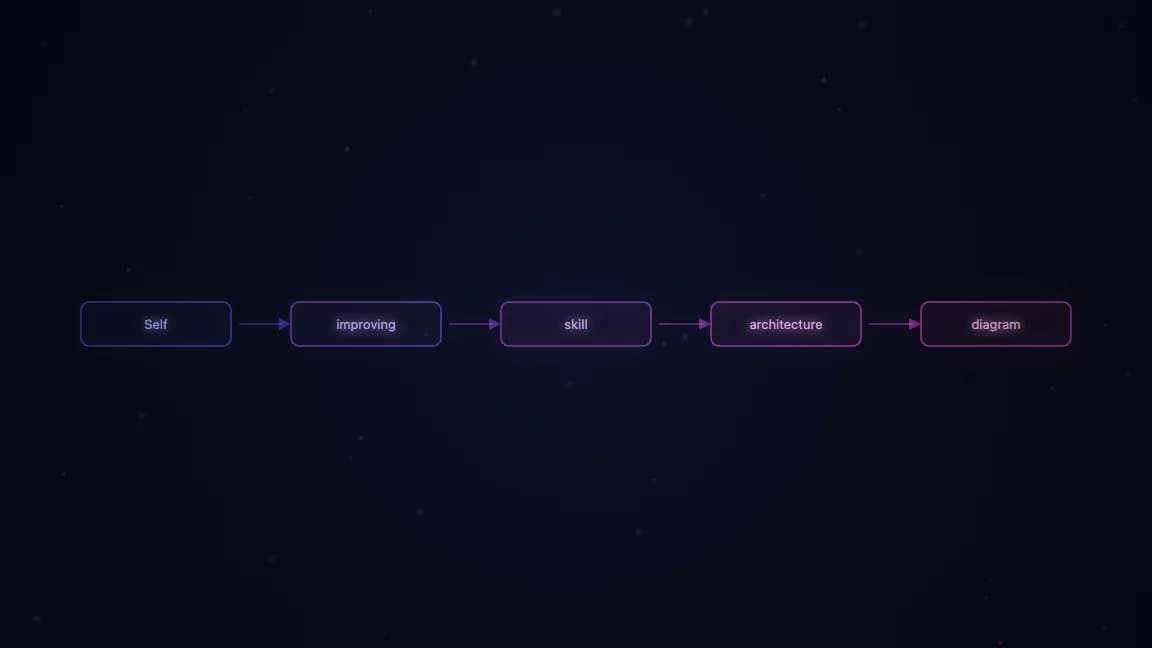
The mechanism is elegant because it stays simple. No embeddings. No vector databases. No complexity. Just a markdown file that learns and lives in Git.
Here's how it works.
Manual Reflection: You Stay in Control
The /reflect command analyzes your conversation in real-time. It scans for:
- Corrections you made ("use this button, not that one")
- Approvals you confirmed (signals that something worked)
- Patterns that succeeded
From those signals, Claude extracts learnings and proposes updates to your skill file.
Example flow:
- You use a
code-reviewskill - Claude misses a SQL injection check
- You point it out: "Always check for SQL injections"
- You call
/reflect code-review - Claude shows a diff with confidence levels:
- High confidence: "never do X" or "always do Y" statements
- Medium confidence: patterns that worked well
- Low confidence: observations to review later

You approve, Claude commits to Git with a message. Rolled back if something breaks. Version control tracks every evolution.
That's manual. You're in charge. Good for starting out.
Newsletter
Get the weekly deep dive
Tutorials on Claude Code, AI agents, and dev tools, delivered free every week.
From the archive
Interview Mode: Let Claude Code Ask the Questions First
Jan 1, 2026 • 5 min read
The Ralph Loop: Running Claude Code For Hours Autonomously
Dec 29, 2025 • 10 min read
The Bitter Lesson: How We Build and What We Build Is About to Change
Dec 27, 2025 • 8 min read
Magic Patterns: Why Design Wins in a World of AI Code Generators
Nov 26, 2025 • 8 min read
Automatic Reflection: Set It and Ship It
For maximal learning, bind the reflect mechanism to a stop hook - a command that runs when your Claude Code session ends.
#!/bin/bash
# .claude/hooks/stop.sh
reflect --auto
Now every session automatically:
- Analyzes for corrections and patterns
- Updates the skill file
- Commits to Git
No intervention. Silent learning. Your coding harness evolves in the background.
You'll see a notification like: "Updated code-review skill from session insights."

But here's the catch: confidence matters. If you're using auto-reflect, you need confidence in what's being learned. Start with manual. Get comfortable. Then automate.
Why This Matters
Most "memory systems" are black boxes - embeddings, similarity scores, retrieval chains. You can't debug them. You can't audit them. You can't roll them back cleanly.
This approach is different:
- Transparent. Skills are readable markdown files.
- Auditable. Every update has a commit message in Git.
- Reversible. Bad learnings roll back in one command.
- Composable. One skill can learn from hundreds of sessions.
Over time, you watch your system evolve. Front-end skills learn DOM patterns. API design skills absorb your architecture preferences. Security skills tighten validation logic.
Each skill becomes a living artifact of your standards.
Multi-Workflow Applications
This isn't just for general coding. The pattern works anywhere:
- Code review skills learn your linting and architecture rules
- API design skills absorb naming conventions and response shapes
- Testing skills internalize your coverage expectations
- Documentation skills adopt your tone and structure
Any skill can reflect. Any skill can learn.
Getting Started
- Familiarize yourself with agent skills. Read the Claude Code documentation.
- Start manual. Use
/reflect [skill-name]after sessions where you corrected something. - Version your skills. Store global skills in a Git repo. Watch them evolve.
- Graduate to automation. Once you trust the patterns, bind reflect to a stop hook.
The goal is simple: correct once, remember forever.
Frequently Asked Questions
What are self-improving skills in Claude Code?
Self-improving skills are Claude Code skills that can analyze your sessions, extract corrections you made, and automatically update themselves with the learnings. Unlike traditional LLM memory systems that use embeddings or vector databases, these skills are transparent markdown files stored in Git with full version history.
How do I enable skill reflection?
Use the /reflect [skill-name] command after any session where you corrected Claude. For automatic reflection after every session, add a stop hook in .claude/hooks/stop.sh that runs reflect --auto. Start with manual reflection to build confidence in the learnings before automating.
What does the confidence level mean in skill updates?
When Claude proposes updates from session analysis, each learning has a confidence level. High confidence learnings come from explicit corrections like "always do X" or "never do Y." Medium confidence learnings are patterns that worked well. Low confidence are observations that may need review before accepting.
Can I roll back a bad learning?
Yes. Because skills are stored in Git, every update has a commit. If a learning causes problems, you can git revert that commit or use git checkout to restore a previous version. This is why Git-backed skills are safer than black-box memory systems.
Does this work with any Claude Code skill?
Yes. Any skill can use the reflect mechanism. Code review skills, API design skills, testing skills, documentation skills - the pattern is universal. Each skill becomes a living document that accumulates your preferences and corrections over time.
How is this different from CLAUDE.md?
CLAUDE.md is static project context that you write manually. Self-improving skills are dynamic - they update automatically based on your corrections during sessions. Use CLAUDE.md for stable project conventions and self-improving skills for patterns that evolve as you work.
Will auto-reflect slow down my sessions?
The reflection runs after the session ends (on the stop hook), not during your work. The analysis happens in the background and typically takes a few seconds. You'll see a notification when the skill is updated.
Can multiple people share a self-improving skill?
Yes. Store skills in a shared Git repository. Each team member's corrections contribute to the skill, and Git handles merge conflicts. This creates team-wide learning - one person's SQL injection catch becomes everyone's SQL injection check.
Further Reading
Read next
Continual Learning in Claude Code: Memory That Compounds
Skills turn Claude Code sessions into persistent memory. Successes and failures get captured, progressively disclosed, and shared across teams. Your agent remembers.
7 min readClaude Skills: A technical deep dive into Anthropic's new approach to AI context management
A comprehensive look at Claude Skills-modular, persistent task modules that shatter AI's memory constraints and enable progressive, composable, code-capable workflows for developers and organizations.
8 min read60 Claude Code Tips and Tricks for Power Users
The definitive collection of Claude Code tips - sub-agents, hooks, worktrees, MCP, custom agents, keyboard shortcuts, and dozens of hidden features most developers never discover.
25 min readShare
Suggest an editSave
Developers Digest
Technical content at the intersection of AI and development. Building with AI agents, Claude Code, and modern dev tools - then showing you exactly how it works.
300+ videos30K+ GitHub stars50+ articles
Related Tools
AI CodingDaily Driver
Claude Code
Anthropic's agentic coding CLI. Runs in your terminal, edits files autonomously, spawns sub-agents, and maintains memory...
View ToolAI Coding

Conductor
Mac app for running parallel Claude Code, Codex, and Cursor agents in isolated workspaces. Watch every agent work at onc...
View ToolProductivity

Codeburn
Interactive TUI dashboard that shows exactly where your Claude Code and Cursor tokens are going, in real time.
View ToolAI Models

Claude Opus 4.7
Anthropic's flagship reasoning model. Best-in-class for coding, long-context analysis, and agentic workflows. 1M token c...
View ToolApps from Developers Digest
Developer ToolsIn Progress
Skill Builder
Turn a one-liner into a working Claude Code skill. From idea to installed in a minute.
View AppDeveloper ToolsPlus $20/mo
Skills Pro
Unlock pro skills and share private collections with your team.
View AppDeveloper Tools
Agent Hub
Every coding agent in one window. Stop alt-tabbing between Claude, Codex, and Cursor.
View AppRelated Guides
Guide
Migrating from Cursor to Claude Code
A concrete step-by-step guide to moving your development workflow from Cursor to Claude Code - settings, rules, keybindings, and the habits that transfer.
Getting StartedGuide
CLAUDE.md Files - Claude Code
Persistent project instructions loaded every session; supports nested dirs.
Claude CodeGuide
Disable Model Invocation - Claude Code
Hide skills from Claude's auto-selection until manually triggered.
Claude CodeRelated Videos
Self-Improving Skills in Claude Code
Setting Up Self-Improving Skills in Claude Code: Manual & Automatic Methods In this video, you'll learn how to set up self-improving skills within Claude Code. The tutorial addresses the key problem
Video·
Continual Learning in Claude Code
Unlocking Continual Learning in Claude Code with Skills In this video, we delve into the concept of continual learning within Claude Code. The traditional approach to developing AI agents...
Video·

Claude Code Just Killed After Effects
Create motion graphics and launch videos using natural language — no traditional video editor required. 🔗 Try Higgsfield Katana in Claude:** https://higgsfield.ai/s/katana-inside-claude-yt-developer...
Video·
Related Posts
7 min read
Claude Code
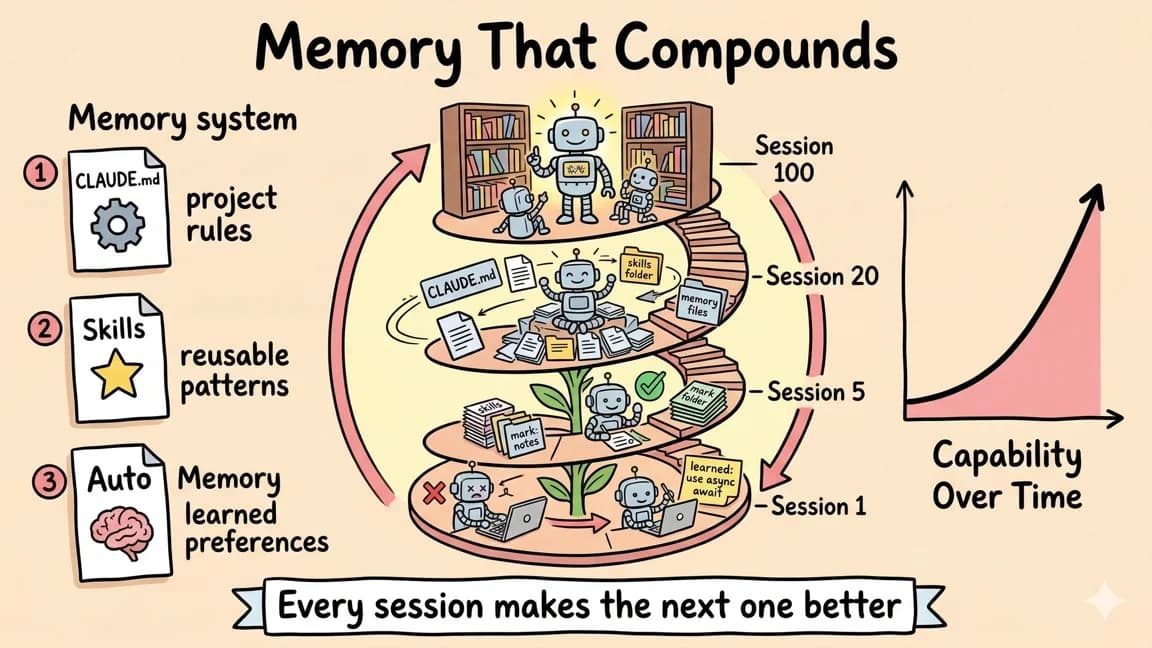
Continual Learning in Claude Code: Memory That Compounds
Skills turn Claude Code sessions into persistent memory. Successes and failures get captured, progressively disclosed, a...
8 min read
AI
Claude Skills: A technical deep dive into Anthropic's new approach to AI context management
A comprehensive look at Claude Skills-modular, persistent task modules that shatter AI's memory constraints and enable p...
25 min read
Claude Code
60 Claude Code Tips and Tricks for Power Users
The definitive collection of Claude Code tips - sub-agents, hooks, worktrees, MCP, custom agents, keyboard shortcuts, an...

11 min read
Claude Code
What Are Claude Code Skills? A Complete Beginner Guide
Skills are how you stop copy-pasting the same workflow into Claude Code every session. What they are, how to write one,...
15 min read
Claude Code
What Is Claude Code? The Complete Guide for 2026
Claude Code is Anthropic's AI coding agent for terminal, IDE, desktop, and browser workflows. Learn what it does, how it...
7 min read
Claude Code
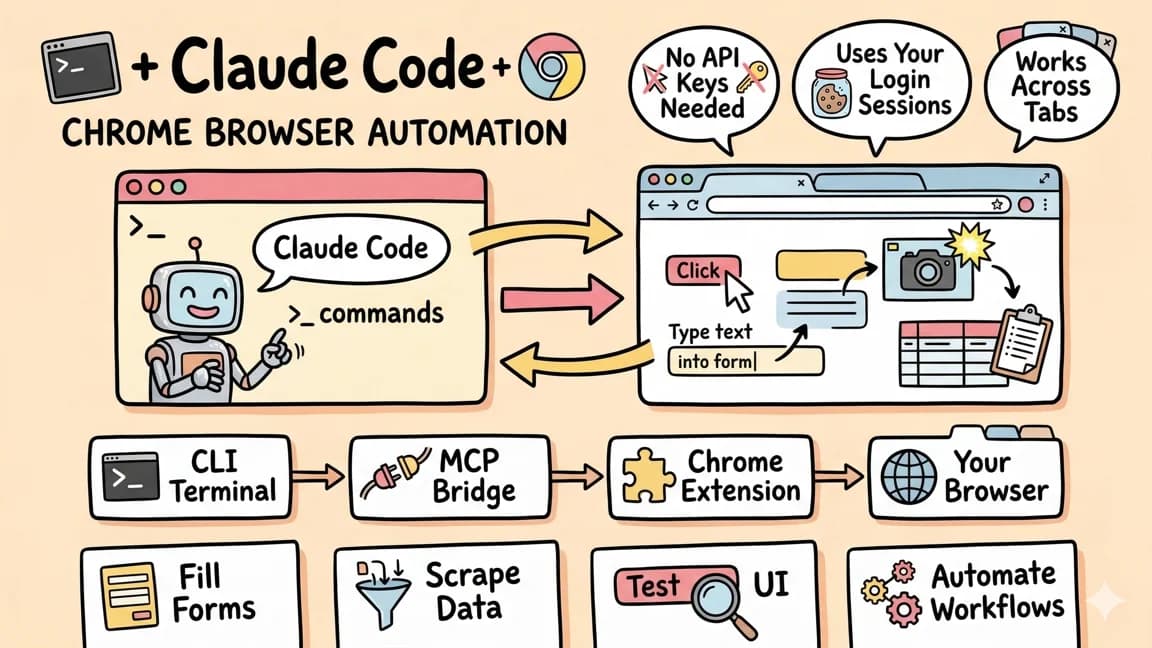
Claude Code + Chrome: AI Agents That Use Your Browser
Claude Code can now control Chrome using your existing authenticated sessions. No API keys needed. Gmail, Sheets, Figma...
Build with the member tools
Get Smarter About AI Dev
New tutorials, open-source projects, and deep dives on coding agents - delivered weekly.
One email per weekReal code, not theoryFree forever