Zed: The Open Source Agentic IDE
Prefer video? Watch the full tutorial with code walkthroughs.
Watch VideoTL;DR
Zed is not another Electron-based editor. It's built from the ground up in Rust, which means real performance without the memory bloat that plagues other IDEs.
What Makes Zed Different
Zed is not another Electron-based editor. It's built from the ground up in Rust, which means real performance without the memory bloat that plagues other IDEs. If you've ever hit a "window unresponsive" error while running multiple projects, you understand why this matters.
For the broader agentic coding map, read Claude Code Agent Teams, Subagents, and MCP: The 2026 Playbook and Why Skills Beat Prompts for Coding Agents in 2026; they connect this article to the surrounding tool and workflow decisions.
The bigger story is the Agent Client Protocol - an open standard that decouples your editor from any single AI provider.

The Agent Client Protocol Explained
The protocol standardizes communication between code editors and AI agents. Without it, every new agent-editor combination requires custom integration work. You're locked into whatever the editor's creators decided to support.
Zed's approach flips this. You can run Claude Code, Codex, or Gemini CLI through the same interface, using your existing subscriptions. When a new model drops - say, Gemini 3 - you don't wait for an update. You switch agents in a new thread and keep working.
This standard is gaining traction beyond Zed. Augment Code's Auggie and JetBrains have adopted it. Open source tooling that benefits competitors is rare. It happens when the creators prioritize user flexibility over ecosystem lock-in.
Getting Started
Installation is straightforward. Zed runs on macOS, Linux, and Windows. The repository is open source - star it if you use it.
Key bindings will feel familiar if you're coming from VS Code or Cursor. Open sidebars and terminals with the same shortcuts. The agent panel sits on the right, ready when you need it.
Agent Integration in Practice
Starting a conversation with an agent works like running a CLI command, but inside the IDE. Select your agent - Claude Code, Codex, whatever - and Zed spins it up in a new thread. You get the same performance as the terminal version, but with a structured UI that tracks changes visually.

The interface shows exactly what the agent is doing: which files it's reading, what commands it's running, and how it understands your project structure. No token streaming clutter. No performative "look how fast I am" animations. Just a clean list of actions you can follow or review later.
Context and Control
You have multiple ways to steer the agent:
- @ mentions for specific files, symbols, or previous conversation threads
- Rules for consistent behavior across sessions
- Web fetch for external documentation or research
- MCP servers for extended capabilities like Firecrawl search
Permission levels let you control how autonomous the agent behaves. "Ask" mode requires confirmation for every action. "Bypass" mode lets the agent run freely - useful for low-stakes refactors or when you trust the context and instructions.
Newsletter
Get the weekly deep dive
Tutorials on Claude Code, AI agents, and dev tools, delivered free every week.
From the archive
Building with Agents: A Real Example
The demo walks through building a Next.js application. The user requests a neo-brutalist homepage with black and white as primary colors. Claude Code generates the implementation, but the interaction reveals something more interesting.
When asked to research and write blog posts about GPT 5.1, Gemini 3, and Sonnet 4.5, the agent pauses. It found solid information on GPT 5.1, but flagged that Gemini 3.5 lacks credible sources. Rather than hallucinate content, it asks for clarification. This kind of transparency - admitting knowledge limits instead of generating plausible-sounding falsehoods - is exactly what you want from an AI assistant.

The resulting blog post includes properly formatted tables, source citations, and a cohesive design that matches the neo-brutalist aesthetic. All generated through iterative file edits you can track in real-time.
Why This Matters
The CLI-first trend in AI coding tools has merit. Terminal environments are fast and familiar. But professional development often benefits from IDE features: integrated debugging, file trees, and visual diff views. Zed gives you both - the raw capability of agentic CLI tools within a structured, performant editing environment.
You keep your workflow when switching between Claude Code and Codex. The keyboard shortcuts stay the same. The project context persists. Only the underlying model changes.
As model capabilities continue leapfrogging each other - one week it's GPT, the next it's Claude, then Gemini - this flexibility becomes essential. You're not rebuilding your development environment every time you want to try a new agent. You're just opening a new thread.
FAQ
What is Zed and how is it different from VS Code or Cursor?
Zed is an open-source code editor built from the ground up in Rust, designed for performance and modern AI workflows. Unlike VS Code and Cursor which use Electron (essentially a Chrome browser wrapper), Zed uses native GPU rendering for text and UI. This means lower memory usage, faster startup times, and no "window unresponsive" errors during heavy development. The key differentiator is the Agent Client Protocol - an open standard that lets you use any AI agent (Claude Code, Codex, Gemini CLI) through the same interface without editor lock-in.
What is the Agent Client Protocol?
The Agent Client Protocol (ACP) is an open standard developed by Zed that standardizes how code editors communicate with AI agents. Instead of each editor building custom integrations for every AI provider, ACP provides a universal interface. When a new AI model launches, you can use it in Zed immediately without waiting for an official integration. JetBrains and Augment Code have also adopted this standard, making your choice of AI agent independent from your choice of editor.
Which AI agents work with Zed?
Zed supports any agent that implements the Agent Client Protocol. Currently this includes Claude Code, OpenAI Codex, Gemini CLI, and community-built agents. You can switch between agents in different conversation threads while keeping your workflow consistent. Your existing API subscriptions and credentials work directly - there's no additional Zed-specific pricing for AI features.
Is Zed free or does it require a subscription?
Zed is free and open source under the GPL license. The editor itself has no subscription fees, and Zed does not charge for external agents - you pay only for the AI services you choose to use through your existing Claude, OpenAI, or Google subscriptions. Zed does offer an optional Pro plan at $10/month that adds Zed-hosted AI models and unlimited edit predictions, but the core editor, real-time collaboration, and agent integration are completely free.
What platforms does Zed support?
Zed runs natively on macOS, Linux, and Windows. The Rust codebase compiles to native binaries for each platform, avoiding the cross-platform performance compromises of Electron-based editors. macOS support is the most mature, with Linux and Windows receiving active development.
How does Zed handle context and permissions for AI agents?
Zed provides granular control over agent behavior. You can use @ mentions to reference specific files, symbols, or previous conversation threads. Rules let you define consistent behavior across sessions. Permission levels range from "Ask" mode (confirmation required for every action) to "Bypass" mode (autonomous execution). MCP server support extends agent capabilities for external integrations like web search or documentation fetching.
Can I migrate from VS Code to Zed easily?
Yes. Zed supports familiar VS Code keybindings out of the box, so muscle memory transfers immediately. The sidebar, terminal, and agent panel use similar shortcuts. Zed reads standard project configurations (.editorconfig, .gitignore) and supports common language servers. The main adjustment is learning Zed-specific features like Channels and the agent panel UI.
How does Zed compare to Cursor for AI-assisted coding?
Cursor bundles AI features with the editor and charges a subscription for AI usage. Zed separates these concerns - you bring your own AI subscriptions and switch agents freely. Cursor has deeper integration with specific models but creates vendor lock-in. Zed prioritizes flexibility through the Agent Client Protocol. For developers who want to use multiple AI providers or switch between Claude, GPT, and Gemini based on task, Zed offers more freedom. Cursor may be simpler if you only use one AI provider.
Official Sources
| Resource | Link |
|---|---|
| Zed Homepage | zed.dev |
| Zed Documentation | zed.dev/docs |
| Agent Client Protocol Spec | agentclientprotocol.com |
| Zed External Agents Docs | zed.dev/docs/ai/external-agents |
| Zed GitHub Repository | github.com/zed-industries/zed |
| Zed Extensions | zed.dev/extensions |
| Zed Channels | zed.dev/docs/channels |
Watch the Video
Read next
The 10 Best AI Coding Tools in 2026
From terminal agents to cloud IDEs - these are the AI coding tools worth using for TypeScript development in 2026.
8 min readWindsurf vs Cursor: Which AI IDE for TypeScript Developers?
Both fork VS Code and add AI. Windsurf (now Devin Desktop) has Cascade. Cursor has Composer 2.5. Here is how they compare for TypeScript.
5 min readCursor vs Claude Code in 2026 - Which Should You Use?
A detailed comparison of Cursor and Claude Code from someone who uses both daily. When to use each, how they differ, and the ideal setup.
9 min readShare
Suggest an editSave
Developers Digest
Technical content at the intersection of AI and development. Building with AI agents, Claude Code, and modern dev tools - then showing you exactly how it works.
300+ videos30K+ GitHub stars50+ articles
Related Tools
AI CodingOpen source
Goose
Open-source AI agent built in Rust, now governed by the Agentic AI Foundation at the Linux Foundation. Desktop app, CLI,...
View ToolAI Coding

Aider
Open-source AI pair programming in your terminal. Works with any LLM - Claude, GPT, Gemini, local models. Git-aware ed...
View ToolAI Models
Qwen3-Coder
Alibaba's flagship open-weight coding model. 480B total parameters, 35B active (MoE). Native 256K context, scales to 1M....
View ToolAI Models
DeepSeek V3.2
DeepSeek's reasoning-first model built for agents. First model to integrate thinking directly into tool use. Ships along...
View ToolApps from Developers Digest
SaaS ProductsIn Progress
Clip Pipeline OS
Plan and track the short-form clipping pipeline from source video to publish queue.
View AppDeveloper ToolsIn Progress
Maintainer Dashboard
Track open-source maintenance signals, release tasks, and repo follow-ups in one dashboard.
View AppDeveloper ToolsIn Progress
Skill Builder
Turn a one-liner into a working Claude Code skill. From idea to installed in a minute.
View AppRelated Guides
Guide
Claude Code Setup Guide
Configure Claude Code for maximum productivity -- CLAUDE.md, sub-agents, MCP servers, and autonomous workflows.
AI AgentsGuide
Building Your First MCP Server
Step-by-step guide to building an MCP server in TypeScript - from project setup to tool definitions, resource handling, testing, and deployment.
AI AgentsGuide
Side Questions with /btw - Claude Code
Ask quick side questions without derailing the main task.
Claude CodeRelated Videos
Zed: The Open Source Agentic IDE - Use Claude Code, Codex & Gemini CLI in one place
Check out Zed here! https://zed.dev In this video, we dive into Zed, a robust open source code editor that has recently introduced the Agent Client Protocol. This new open standard allows...
Video·

Buzz: Open-Source Collaboration for Humans + AI Agents
Buzz by Block: Open-Source Slack-Style Collaboration for Humans + AI Agents (Demo & Setup) Check out Arcade: https://arcade.dev.plug.dev/xiDRwlA Repo: https://github.com/block/buzz The video introd...
Video·
Nimbalyst: The Open-Source Visual Workspace for Building with Codex and Claude Code
Nimbalyst Demo: A Visual Workspace for Codex + Claude Code with Kanban, Plans, and AI Commits Try it: https://nimbalyst.com/ Star Repo Here: https://github.com/Nimbalyst/nimbalyst This video demos N...
Video·
Related Posts

8 min read
AI Coding
The 10 Best AI Coding Tools in 2026
From terminal agents to cloud IDEs - these are the AI coding tools worth using for TypeScript development in 2026.

5 min read
Windsurf
Windsurf vs Cursor: Which AI IDE for TypeScript Developers?
Both fork VS Code and add AI. Windsurf (now Devin Desktop) has Cascade. Cursor has Composer 2.5. Here is how they compar...
9 min read
Claude Code
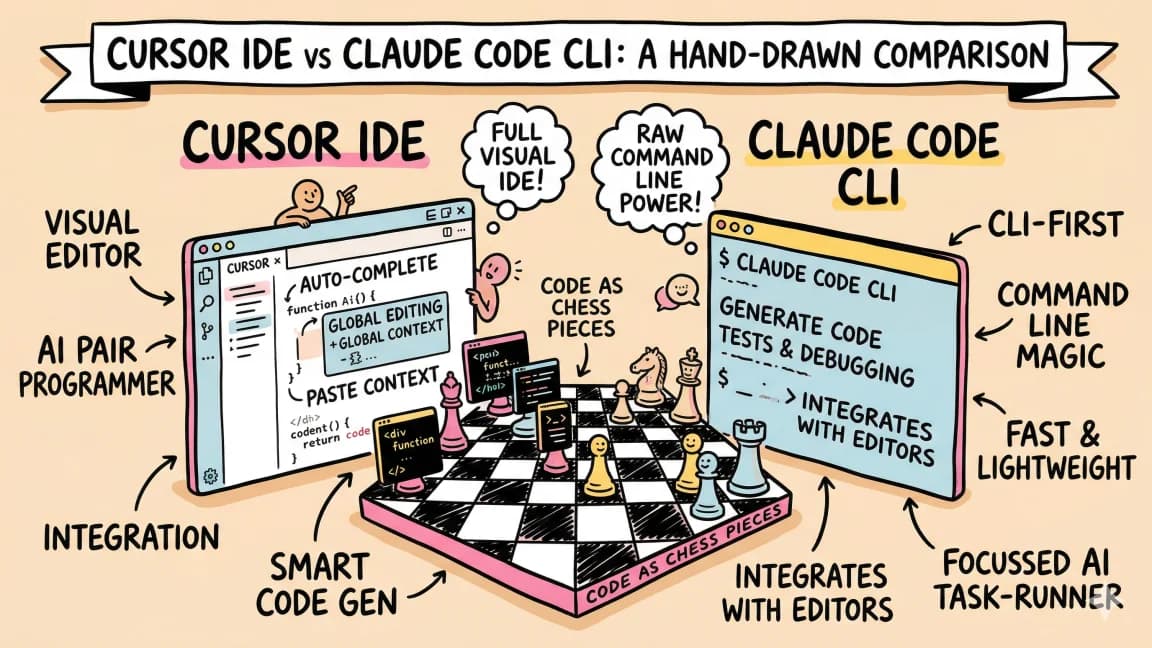
Cursor vs Claude Code in 2026 - Which Should You Use?
A detailed comparison of Cursor and Claude Code from someone who uses both daily. When to use each, how they differ, and...

8 min read
CLI
10 CLI Tools Reshaping AI Development in 2026
From Claude Code to Gladia, the ten CLIs every AI-native developer should know. Install commands, trade-offs, and when t...

8 min read
Claude Code
Create Beautiful UI with Claude Code: The Style Guide Method
AI-generated interfaces tend to look the same - gradient-heavy, emoji-laden, and generic. The style guide method gives y...

11 min read
Claude Code
What Are Claude Code Skills? A Complete Beginner Guide
Skills are how you stop copy-pasting the same workflow into Claude Code every session. What they are, how to write one,...
Build with the member tools
Get Smarter About AI Dev
New tutorials, open-source projects, and deep dives on coding agents - delivered weekly.
One email per weekReal code, not theoryFree forever