The Best MCP Servers in 2026: A Complete Directory
TL;DR
A searchable directory of 184+ MCP servers organized by category. Find the right server for databases, browsers, APIs, DevOps, and more.
Direct answer
The Best MCP Servers in 2026: A Complete Directory
A searchable directory of 184+ MCP servers organized by category. Find the right server for databases, browsers, APIs, DevOps, and more.
Best for
Developers comparing real tool tradeoffs before choosing a stack.
Covers
Verdict, tradeoffs, pricing signals, workflow fit, and related alternatives.
| Official Sources | |
|---|---|
| Model Context Protocol Specification | Official MCP protocol specification and architecture |
| MCP GitHub Organization | Official repos for MCP SDKs, servers, and reference implementations |
| Claude Code MCP Documentation | How to configure MCP servers in Claude Code |
| Anthropic MCP Servers | Official MCP server implementations (Postgres, GitHub, Slack, etc.) |
| MCP TypeScript SDK | Build custom MCP servers in TypeScript |
| MCP Python SDK | Build custom MCP servers in Python |
184 MCP Servers and Counting
The MCP ecosystem grew from a handful of reference implementations to a sprawling network of community-built integrations in under a year. That is both the good news and the problem. Finding the right server for a specific use case means sifting through GitHub repos, npm packages, and scattered README files.
We built the MCP Server Directory to fix that. It catalogs 184+ servers with working configurations, verified compatibility, and category-based browsing. Instead of guessing whether a server exists for Jira, Confluence, or your favorite database, you search once and get an answer.
This post walks through the top 10 servers by category - the ones that solve real problems for real workflows. If you want the full searchable list, head to mcp.developersdigest.tech.
How MCP Servers Work (30-Second Primer)
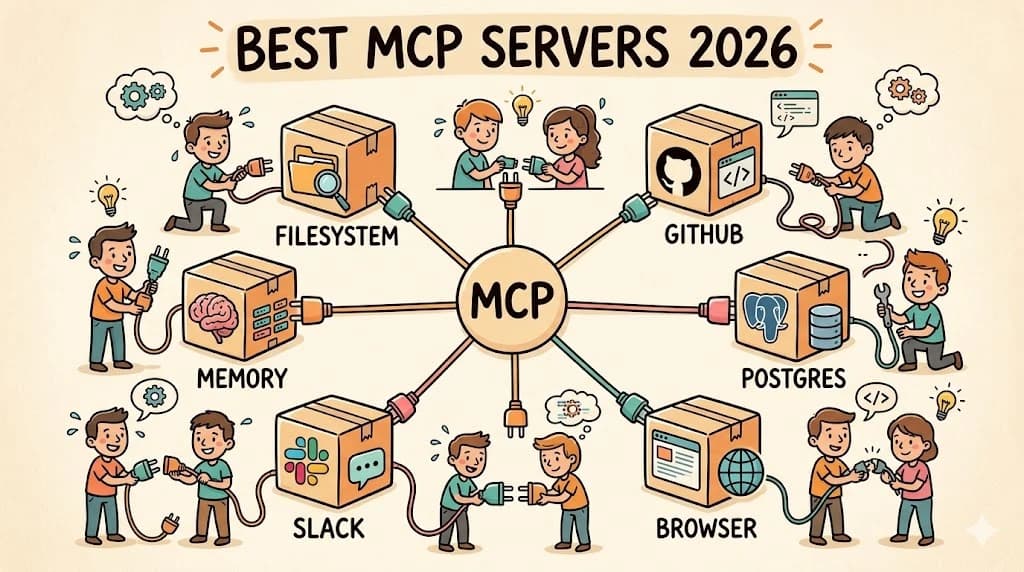
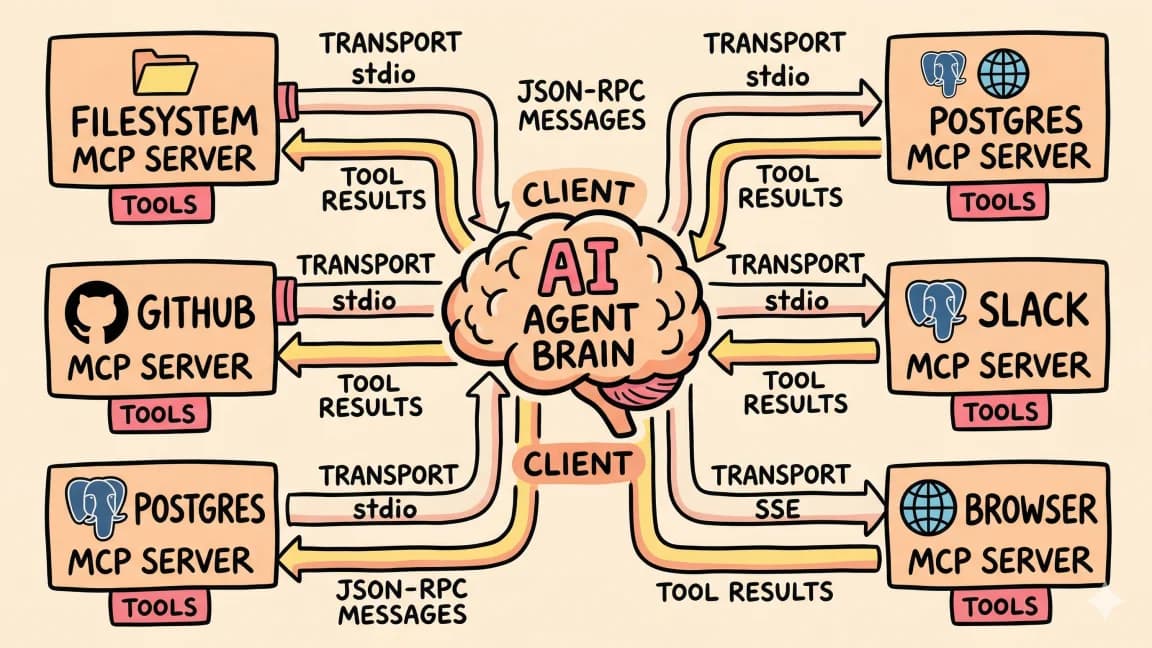
Model Context Protocol is a standard interface between AI agents and external tools. You configure a server, and your agent gets access to whatever that server exposes - databases, APIs, file systems, browsers.
Every server in this directory follows the same pattern:
{
  "server-name": {
    "command": "npx",
    "args": ["-y", "package-name"],
    "env": {
      "API_KEY": "your-key"
    }
  }
}
Paste the config into your Claude Code or Cursor settings and restart. The agent discovers the server's tools on startup.
Top 10 MCP Servers by Category
1. Database: Postgres
The most battle-tested database server in the ecosystem. Read-only by default, which is exactly what you want when an AI agent is writing SQL against your data.
{
  "postgres": {
    "command": "npx",
    "args": [
      "-y",
      "@anthropic-ai/mcp-server-postgres",
      "postgresql://user:pass@localhost:5432/mydb"
    ]
  }
}
Point it at a read replica for production use. The agent writes queries, runs them, and interprets results - no context-switching to a database client. The directory also lists servers for MySQL, SQLite, MongoDB, Redis, and DynamoDB for teams on different stacks.
Best for: Backend developers who answer data questions daily.
2. Version Control: GitHub
Full GitHub integration - repos, issues, PRs, branches, code review. This is the second server most developers install after filesystem, and for good reason. It collapses 20 minutes of PR review into a single prompt.
{
  "github": {
    "command": "npx",
    "args": ["-y", "@anthropic-ai/mcp-server-github"],
    "env": {
      "GITHUB_TOKEN": "ghp_your_token_here"
    }
  }
}
Scope your token carefully. Read-only access for review workflows, full repo access only when you need the agent creating issues and PRs.
Best for: Anyone who lives in GitHub. Which is most of us.
3. Browser Automation: Playwright
Navigate pages, click elements, fill forms, take screenshots, read DOM content. This turns your agent into a QA engineer that can visually verify its own changes.
{
  "playwright": {
    "command": "npx",
    "args": ["-y", "@anthropic-ai/mcp-server-playwright"]
  }
}
The agent gets a headless Chromium instance. Pair it with screenshot-based debugging for fast iteration: deploy, open staging URL, verify, fix, repeat.
Best for: Full-stack developers doing visual QA and frontend testing.
4. Communication: Slack
Read channels, search messages, post updates. The agent can summarize day-long threads, extract action items, and post structured recaps - the kind of work that usually falls through the cracks.
{
  "slack": {
    "command": "npx",
    "args": ["-y", "@anthropic-ai/mcp-server-slack"],
    "env": {
      "SLACK_BOT_TOKEN": "xoxb-your-bot-token",
      "SLACK_TEAM_ID": "T01234567"
    }
  }
}
The directory lists similar servers for Discord, Teams, and Telegram if your team uses a different platform.
Best for: Team leads who spend too much time translating Slack threads into decisions.
5. Project Management: Linear
Create issues, update status, query boards, add comments. When the agent finishes fixing a bug, it can create the issue, link the PR, and mark it done - all without you leaving the terminal.
{
  "linear": {
    "command": "npx",
    "args": ["-y", "@anthropic-ai/mcp-server-linear"],
    "env": {
      "LINEAR_API_KEY": "lin_api_your_key_here"
    }
  }
}
The directory also covers Jira, Asana, Notion (as a project tracker), and Trello for teams on other platforms.
Best for: Engineers who want project management to happen as a side effect of coding.
6. Monitoring: Sentry
Pull error reports, stack traces, and crash patterns directly into your coding session. The agent cross-references production errors with recent commits and suggests fixes based on real data.
{
  "sentry": {
    "command": "npx",
    "args": ["-y", "@anthropic-ai/mcp-server-sentry"],
    "env": {
      "SENTRY_AUTH_TOKEN": "your-sentry-token",
      "SENTRY_ORG": "your-org"
    }
  }
}
Datadog, PagerDuty, and Grafana servers are also in the directory for teams with different monitoring stacks.
Best for: On-call engineers and anyone debugging production issues.
7. Cloud Infrastructure: AWS
Manage S3 buckets, query CloudWatch logs, inspect Lambda functions, and interact with other AWS services. Infrastructure questions that used to require the AWS console become single prompts.
{
  "aws": {
    "command": "npx",
    "args": ["-y", "@anthropic-ai/mcp-server-aws"],
    "env": {
      "AWS_ACCESS_KEY_ID": "your-key",
      "AWS_SECRET_ACCESS_KEY": "your-secret",
      "AWS_REGION": "us-east-1"
    }
  }
}
The directory includes servers for GCP, Azure, Vercel, Cloudflare Workers, and Supabase. Pick the one that matches your deployment target.
Best for: DevOps engineers and anyone managing cloud resources alongside code.
8. Documentation: Notion
Read pages, search workspaces, create content, update databases. Teams that store specs, PRDs, and runbooks in Notion can give the agent direct access to that context.
"Read the PRD for the auth redesign and implement the first phase" goes from a multi-step manual process to a single prompt when the agent can access Notion directly.
{
  "notion": {
    "command": "npx",
    "args": ["-y", "@anthropic-ai/mcp-server-notion"],
    "env": {
      "NOTION_API_KEY": "ntn_your_integration_key"
    }
  }
}
Confluence, Google Docs, and Obsidian servers are also available for teams on other documentation platforms.
Best for: Teams with specs and docs in Notion who want agents that read before they code.
9. Search: Brave Search
Web search from inside your agent session. Current documentation, recent release notes, Stack Overflow answers - all accessible without leaving the terminal.
{
  "brave-search": {
    "command": "npx",
    "args": ["-y", "@anthropic-ai/mcp-server-brave-search"],
    "env": {
      "BRAVE_API_KEY": "your-brave-api-key"
    }
  }
}
The free tier is generous enough for development use. The directory also lists servers for Google Search, Exa, and Tavily if you prefer a different search backend.
Best for: Everyone. Agents with web access produce answers based on current information instead of stale training data.
10. Sandboxed Execution: E2B
Run arbitrary code in isolated cloud environments. Python, JavaScript, Bash - the agent experiments in a throwaway VM without touching your local machine.
{
  "e2b": {
    "command": "npx",
    "args": ["-y", "@anthropic-ai/mcp-server-e2b"],
    "env": {
      "E2B_API_KEY": "e2b_your_key_here"
    }
  }
}
Sandboxes spin up in under a second. Critical for agents working on infrastructure scripts, deployment configs, or anything where a mistake on your local machine would be expensive.
Best for: Power users running agents on risky or experimental tasks.
Newsletter
Get the weekly deep dive
Tutorials on Claude Code, AI agents, and dev tools, delivered free every week.
From the archive
Categories in the Directory
The full directory organizes all 184+ servers into searchable categories:
- Databases - Postgres, MySQL, SQLite, MongoDB, Redis, Supabase, PlanetScale, Turso
- Version Control - GitHub, GitLab, Bitbucket
- Communication - Slack, Discord, Teams, Telegram, Email
- Project Management - Linear, Jira, Asana, Notion, Trello, ClickUp
- Cloud & Infrastructure - AWS, GCP, Azure, Vercel, Cloudflare, Docker, Kubernetes
- Monitoring - Sentry, Datadog, PagerDuty, Grafana
- Search & Web - Brave Search, Google Search, Firecrawl, Fetch, Exa
- Browser & Testing - Playwright, Puppeteer, Selenium
- Documentation - Notion, Confluence, Google Docs, Obsidian
- AI & ML - Hugging Face, Replicate, OpenAI, vector databases
- Developer Tools - Docker, npm, ESLint, Prettier, testing frameworks
- Productivity - Calendar, email, file management, note-taking
Each entry includes a working configuration snippet, required API keys, and notes on which AI clients support it.
How to Pick the Right Servers
Do not install 20 servers and hope for the best. Each server is a running process that consumes resources, and each one adds surface area for the agent to reason about. Three well-chosen servers outperform 15 loosely-related ones.
Start with your daily pain points. What tasks make you context-switch the most? If you constantly flip between your editor and GitHub, install the GitHub server. If you answer data questions all day, install Postgres. If Slack threads eat your mornings, install Slack.
Add one server at a time. Use it for a week before adding another. This gives you a clear sense of which servers actually change your workflow versus which ones sound good in theory.
Pair servers with a CLAUDE.md file. The CLAUDE.md generator creates project configuration that tells the agent how to use your specific servers. "Use Postgres to answer data questions. Use GitHub to create issues. Never modify production data." This gives the agent intent, not just access.
Browse the Full Directory
The MCP Server Directory is searchable, filterable, and updated as new servers ship. If you are building an MCP server and want it listed, submit it through the directory.
For configuring the servers you choose, the MCP Config Generator builds the JSON for Claude Code and Cursor without manual editing.
FAQ
How many MCP servers are available in 2026?
The MCP ecosystem has grown to 184+ servers as of April 2026. The MCP Server Directory catalogs them by category - databases, version control, communication, project management, cloud infrastructure, monitoring, search, browser automation, documentation, AI/ML, developer tools, and productivity. New servers ship weekly as the community builds integrations for more platforms.
What is the best MCP server for databases?
The Postgres server (@anthropic-ai/mcp-server-postgres) is the most battle-tested database server in the ecosystem. It runs read-only by default, which is exactly what you want when an AI agent writes SQL against your data. Point it at a read replica for production use. The ecosystem also includes servers for MySQL, SQLite, MongoDB, Redis, and DynamoDB for teams on different database stacks.
How do I configure an MCP server in Claude Code or Cursor?
Every MCP server follows the same JSON configuration pattern. Add the server config to your client's settings file with the command, args, and any required environment variables. For Claude Code, edit ~/.claude/settings.json. For Cursor, use the MCP settings panel. After saving, restart the client - the agent discovers the server's tools on startup and can immediately use them.
How many MCP servers should I install?
Start with three or fewer servers that address your daily pain points. Each server is a running process that consumes resources, and each one adds surface area for the agent to reason about. Three well-chosen servers outperform 15 loosely-related ones. Add one server at a time and use it for a week before adding another - this gives you a clear sense of which servers actually change your workflow.
Which MCP server should I install first?
Start with the server that addresses your biggest daily context-switch. If you constantly flip between your editor and GitHub, install the GitHub server. If you answer data questions all day, install Postgres. If Slack threads eat your mornings, install Slack. The Playwright browser server is also popular as a second or third server because it lets agents visually verify their own changes.
Do MCP servers work with Claude Code and Cursor?
Yes. Both Claude Code and Cursor support the Model Context Protocol. The configuration format is the same - a JSON object with command, args, and environment variables. The MCP Config Generator builds the correct JSON for both clients without manual editing. Other AI coding tools are adding MCP support as the protocol gains adoption.
Are MCP servers secure?
Security depends on how you configure them. Use read-only database connections when possible. Scope API tokens to the minimum required permissions - read-only GitHub tokens for review workflows, full access only when you need the agent creating issues and PRs. Pair servers with a CLAUDE.md file that tells the agent what it can and cannot do ("Never modify production data"). The E2B sandboxed execution server is specifically designed for risky or experimental tasks.
What is the difference between MCP servers and regular API integrations?
MCP servers expose a standardized tool interface that AI agents can discover and use without custom integration code. You configure a server once, and any MCP-compatible client - Claude Code, Cursor, or others - can use it immediately. Regular API integrations require you to write code that calls the API, parse responses, and handle errors. MCP servers handle that plumbing so the agent can focus on using the tool.
What to Read Next
- What Is MCP - the protocol fundamentals
- The 15 Best MCP Servers in 2026 - our ranked picks with tested configs
- How to Use MCP Servers - setup guide with custom server examples
- MCP Config Generator - build your config interactively
- Best AI Coding Tools in 2026 - the tools that consume MCP servers
FAQ
What is an MCP server?
An MCP (Model Context Protocol) server is a standardized interface that connects AI agents to external tools and data sources. Each server exposes specific capabilities - database queries, API calls, file operations, browser automation - that an AI can invoke during a conversation. The server handles authentication, request formatting, and response parsing so the AI gets clean, actionable data.
How many MCP servers can I run at once?
There is no hard limit, but practical constraints apply. Each server is a running process that consumes memory and adds cognitive overhead for the AI. Start with 2-3 servers that address your daily pain points, then add more only when you have a clear use case. Most productive setups use 3-5 well-configured servers rather than 15 loosely-related ones.
Which AI tools support MCP servers?
Claude Code, Cursor, Windsurf, and several other AI coding assistants support MCP natively. Claude Desktop also supports MCP for non-coding workflows. The protocol is open, so any tool can implement it - check your tool's documentation for current MCP support status.
Are MCP servers secure?
Security depends on how you configure them. Most database servers default to read-only mode. API servers require explicit tokens that you control. The key practices are: use read replicas for production databases, scope API tokens to minimum required permissions, and review what each server can access before installation. The agent only sees what you explicitly configure.
How do I install an MCP server?
Add a JSON configuration block to your AI tool's settings file. The config specifies the server command (usually npx), the package name, and any required environment variables like API keys. Restart your AI tool, and it auto-discovers the server's capabilities on startup.
Do MCP servers work offline?
Depends on the server. Filesystem and local database servers work offline. Cloud API servers (GitHub, Slack, AWS) require internet connectivity. Some servers cache data locally for partial offline operation. Check each server's documentation for offline behavior.
What's the difference between MCP servers and function calling?
Function calling is a model capability - the AI can describe what function it wants to invoke. MCP servers are the implementation that actually executes those functions. The server receives the AI's function call, runs the operation (query a database, call an API), and returns the result. MCP standardizes how this handoff works across different AI tools.
Can I build my own MCP server?
Yes. The MCP SDK provides TypeScript and Python templates. Define your tools, their parameters, and their execution logic. The SDK handles protocol compliance, error formatting, and client compatibility. Custom servers are common for internal APIs, proprietary databases, and company-specific workflows.
Read next
Best MCP Servers in 2026: The Developer Shortlist
A practical ranked list of MCP servers worth installing first for Claude Code, Cursor, Copilot, Codex, and OpenCode: GitHub, Filesystem, Context7, Playwright, Postgres, Sentry, Supabase, Notion, Slack, and more.
10 min readWhat Is MCP (Model Context Protocol)? A TypeScript Developer's Guide
MCP lets AI agents connect to databases, APIs, and tools. Here is what it is and how to use it in your TypeScript projects.
5 min readHow to Use MCP Servers: The Complete Guide
MCP servers connect AI agents to databases, APIs, and tools through a standard protocol. Here is how to configure and use them with Claude Code and Cursor.
11 min readShare
Suggest an editSave
Developers Digest
Technical content at the intersection of AI and development. Building with AI agents, Claude Code, and modern dev tools - then showing you exactly how it works.
300+ videos30K+ GitHub stars50+ articles
Try These Tools
Related Tools
MCP Tools
Glama
Largest MCP server directory with 17,000+ servers. Security grading (A/B/C/F), compatibility scoring, and install config...
View ToolMCP Tools
PulseMCP
MCP server directory and ranking site. Tracks weekly downloads, GitHub stars, and build status across 5,000+ servers.
View ToolAI CodingOpen source
DeepSeek-TUI
Open-source terminal agent runtime with approval modes, rollback snapshots, MCP servers, LSP diagnostics, and a headless...
View ToolMCP Tools
MCP Inspector
Visual testing tool for Model Context Protocol servers. Like Postman for MCP - call tools, browse resources, and view...
View ToolApps from Developers Digest
Related Guides
Guide
Claude Code Setup Guide
Configure Claude Code for maximum productivity -- CLAUDE.md, sub-agents, MCP servers, and autonomous workflows.
AI AgentsGuide
Claude Code Complete Course
A complete, citation-backed Claude Code course with setup, prompting systems, MCP, CI, security, cost controls, and capstone workflows.
ai-developmentGuide
Command History - Claude Code
Per-directory prompt history with Ctrl+R reverse search.
Claude CodeRelated Videos
Related Posts
10 min read
MCP
Best MCP Servers in 2026: The Developer Shortlist
A practical ranked list of MCP servers worth installing first for Claude Code, Cursor, Copilot, Codex, and OpenCode: Git...

5 min read
MCP
What Is MCP (Model Context Protocol)? A TypeScript Developer's Guide
MCP lets AI agents connect to databases, APIs, and tools. Here is what it is and how to use it in your TypeScript projec...
11 min read
MCP
How to Use MCP Servers: The Complete Guide
MCP servers connect AI agents to databases, APIs, and tools through a standard protocol. Here is how to configure and us...

8 min read
CLI
10 CLI Tools Reshaping AI Development in 2026
From Claude Code to Gladia, the ten CLIs every AI-native developer should know. Install commands, trade-offs, and when t...
15 min read
AI Coding
Every AI Coding Tool Compared: The 2026 Matrix
12 AI coding tools across 4 architecture types, compared on pricing, strengths, weaknesses, and best use cases. The defi...
12 min read
MCP
Open-Source MCP Servers Worth Installing in 2026
The MCP ecosystem crossed 22,000 servers in early 2026. Most are noise. Here are the open-source servers that have earne...
Build with the member tools
Get Smarter About AI Dev
New tutorials, open-source projects, and deep dives on coding agents - delivered weekly.
One email per weekReal code, not theoryFree forever